Consultant
Resolve the candidate record
Check uncertain fields against the attached source, correct the structured record and choose how much — if any — prose should change.
ConnectIQ is recruitment CV formatting software: consultants turn a candidate's own CV into a branded client submission, check every fact against the original, anonymise it when the client asks, and export PDF or Word.
one free conversionno cardcancel anytime
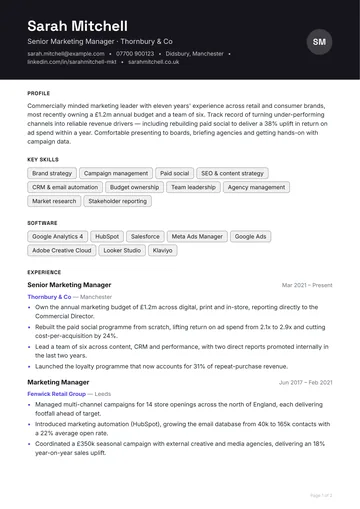
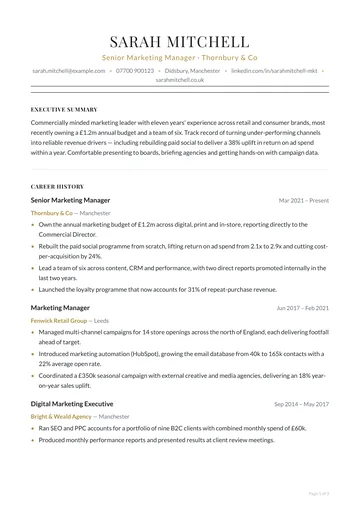
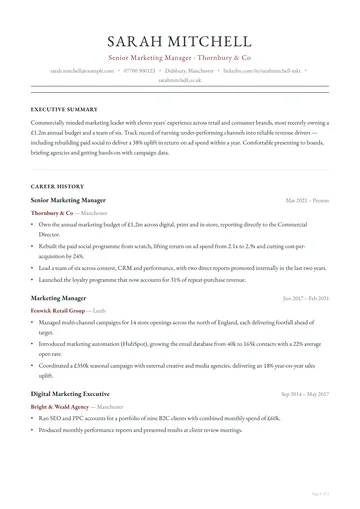
Check uncertain fields against the attached source, correct the structured record and choose how much — if any — prose should change.
Own approved templates, organisation colours and logo placement centrally instead of copying yesterday's Word file.
Use explicit anonymisation controls and deterministic rewrite guards. Export from the reviewed record, with the source still available.
The product is deliberately explicit about what is ready, what needs checking and what each plan permits.
The same four steps for every candidate, so a shortlist of six reads like one document set rather than six different CVs.
PDF or Word, in whatever layout the candidate used, including the ones that arrive as one block of text. Agency plans take a whole shortlist in one batch.
Every extracted value links to where it came from on the original page. Uncertain fields are left blank, not guessed, so the review is where it matters.
Your logo, colours and section order, set once. Choose how much the AI may tidy the prose; employers, titles, dates and figures stay as written.
Export PDF and Word from the same approved version, or share a branded link with an expiry date. Anonymise first when the client wants blind CVs.
Most agency and corporate CV templates are a layout family plus a dozen decisions: fonts, colours, heading style, where the logo sits and the order of sections. Build yours in the browser from those choices, with no setup fee and no charge for changing it, and every candidate profile renders from it.
Outsourced CV formatting services rebuild each CV by hand and send it back hours later. ConnectIQ is self-serve software: your consultant has a branded, checkable candidate CV in seconds, so the submission goes out while the client is still on the phone.
ConnectIQ does not replace your recruitment CRM or ATS, and it does not integrate with them yet. You export the formatted CV as PDF or Word and attach it to the candidate record, the same way you attach any document today.
Move to Agency when you need bulk upload, every rewrite mode and 250 conversions a month.
The quickest answer to most of these is your own messiest CV: the first conversion is free, with no card.
Test a real CVThe one that fits your desk's workflow and volume. Check how it handles messy CVs, whether it shows you what it was unsure about, how much the AI can change, whether you can build your own template, and the cost per CV at your real volume. Our comparison of every CV formatting tool prices each one per CV from its own pricing page, including where competitors beat us.
Most run a recruitment CRM or ATS at the centre (Bullhorn, JobAdder, Vincere and others), job boards and sourcing tools feeding it, and specialist tools alongside, of which CV formatting is one. The recruitment agency software guide sets out each layer and what it costs.
Almost every agency of any size does, because that is where candidates, clients and placements are tracked. A CV formatting tool sits beside it: the formatted CV is exported as PDF or Word and attached to the candidate record.
They rebuild the candidate's CV on the agency's own template: verify the facts, restructure so the current role and achievements are visible, remove what the client should not see, apply the branding and export a PDF. The full procedure is in how to format a candidate CV for client submission.
Software. Your consultants upload a CV and have a branded, checkable document in seconds, with no outsourced team and no turnaround time. Outsourced CV formatting services, where a team reformats CVs for you by hand, suit agencies that want no involvement at all; they cost more per CV and you wait for each one.
Yes, from the Starter plan. Name, contact details, employer names, age and references can be removed at render time, inside the prose as well as the headers, and a check lists anything that still looks identifying before a link is shared. It is checked redaction, not a compliance certificate. See blind CV software.
Yes. Most agency and corporate CV templates are reproduced with a dozen deliberate choices in the template builder: layout family, fonts, colours, heading style, logo slot and section order. There is no setup fee and no charge for changing it later.
A finding from Ladders' eye-tracking research that recruiters spend about seven seconds (7.4 in the 2018 update) on a first scan. Your client does the same with your submissions, which is why every candidate should arrive in the same structure, with the current role, dates and availability always in the same place.