What Is an ATS Resume? The Format Applicant Tracking Systems Read Correctly
An ATS resume is not a special kind of resume. It is an ordinary one formatted so applicant tracking software can read it in the right order. Here is what that software does, the format rules that matter, and how to check your own file.
An ATS resume is a resume formatted so an applicant tracking system can turn it into accurate fields: your name, contact details, each job with the right employer and dates, education and skills. In practice the ATS resume format is simple: one main column, real selectable text, standard section headings, dates on the same line as each job, and nothing important in headers, footers, text boxes or graphics. This guide explains what an applicant tracking system actually does with your resume, the format rules that follow from it, the myths worth ignoring, and a two-minute test you can run on your own file before you apply.
What is an applicant tracking system?
An applicant tracking system (ATS) is the database employers and staffing firms use to receive applications, store candidates and move them through a hiring process. Workday, Greenhouse, iCIMS and Bullhorn are well-known examples. When you apply online, your resume goes into one of these systems before a person sees it.
To make resumes searchable, the ATS parses each one: it extracts the text and tries to sort it into fields. A recruiter then searches those fields, for example everyone with a particular job title in a particular city, or filters a list of applicants by the answers to screening questions.
The popular picture of a robot reading your resume and rejecting it is mostly wrong. The common failure is quieter: your resume is parsed badly, so your job title lands in the wrong field or your dates go missing, and you do not appear in the search that would have found you.
What happens to your resume after you click apply
Systems differ in detail, but most online applications follow the same broad path. Knowing it tells you which parts of an ATS resume actually matter.
1. Upload and parse. You upload a file, and the system extracts its text and splits it into fields: contact details, jobs, education, skills.
2. Prefill and confirm. Many application forms then show you those fields and ask you to check or retype them. If the job history it shows you is scrambled, that is the parse result, and it is a useful early warning: the recruiter's view of your resume may be scrambled in the same way.
3. Screening questions. Many postings ask required questions, such as work authorization, a license, or years of a specific skill. These are set by the employer and can filter applications before any resume is read, so answer them accurately.
4. Search, filter and review. Recruiters work from a list of applicants and from searches across their database. Some systems also suggest a match between the posting and each candidate. A person usually opens the resume itself before anyone is interviewed, which is why the file needs to read well for people as well as software.
5. The database, later. Your record often stays in the system after the job closes. A clean parse today means a recruiter searching for your skills next year can still find you.
What an ATS extracts from your resume
Parsers work largely from position and pattern. A date range is easy to spot. A company name sitting next to a date range is probably an employer. The line above it is probably a job title. Anything shaped like an email address or phone number is a contact detail.
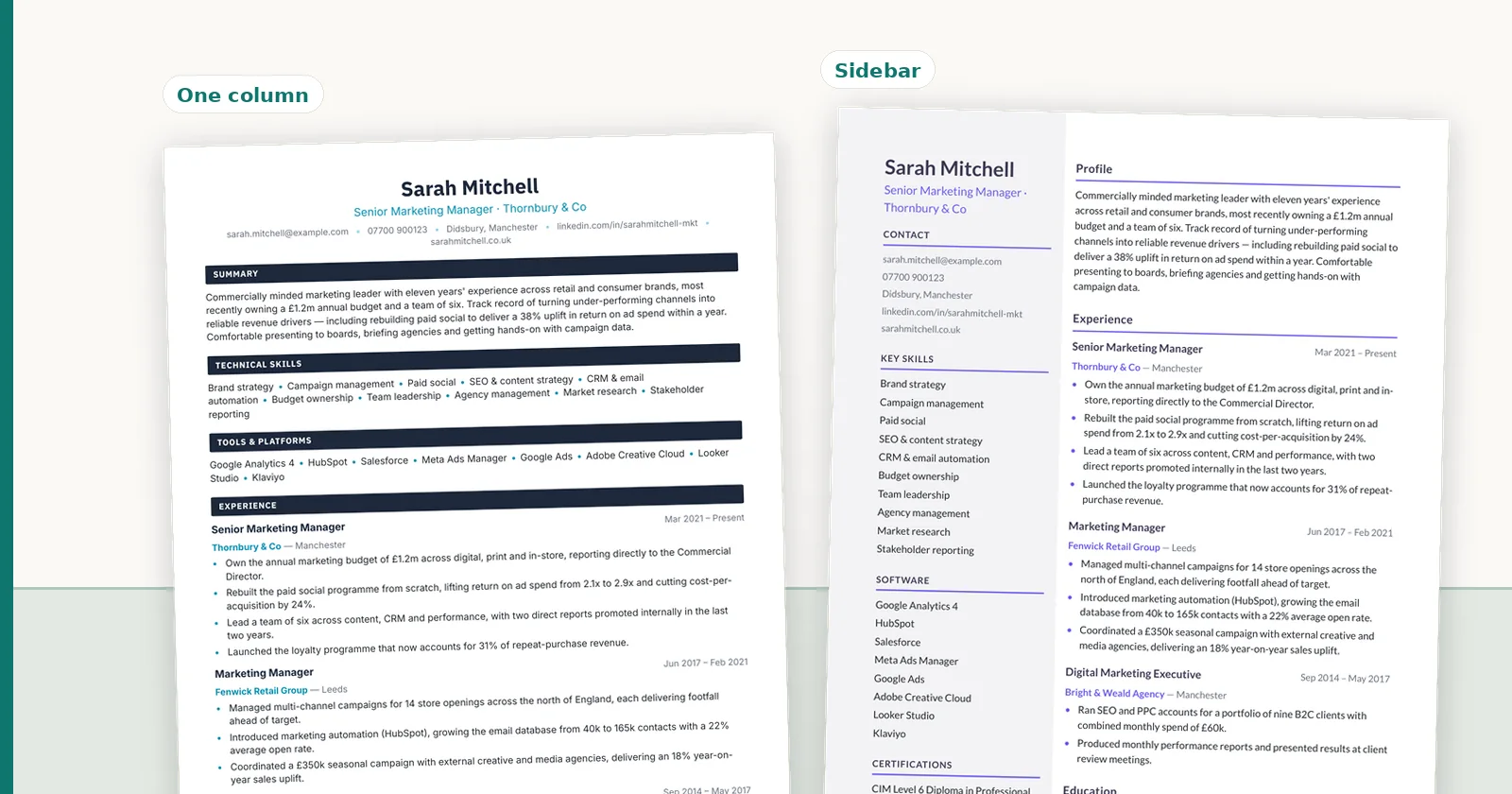
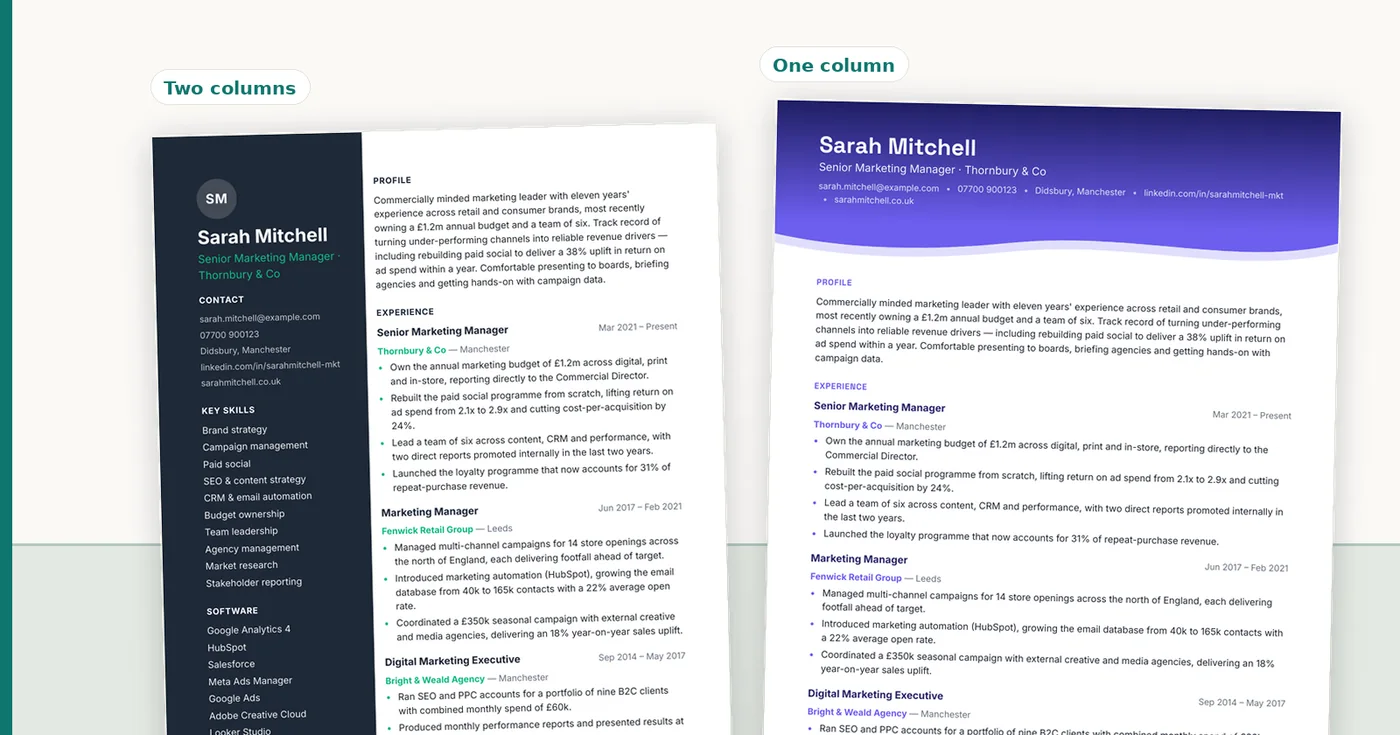
That is why the ATS resume format matters more than word choice. Layout decides whether those relationships survive extraction. A clean single column keeps the title, employer and dates together; a two-column layout can interleave a skills sidebar into the middle of your first job when the text is read line by line across the page.
- Name and contact details: usually from the top of the page body.
- Job titles, employers and dates: from their position relative to each other.
- Education: degree, school and dates, matched against known institutions.
- Skills: matched against a list the system already holds.
- Often missed: anything in a header, footer, text box, table, image or graphic.
An example: what a parser reads from a two-column resume
It helps to see the problem rather than imagine it. Picture a resume for a fictional candidate with a skills sidebar on the left and the job history on the right. To a person, it reads cleanly. A simple text extraction that reads each line straight across the page can produce something like this:
"Project Coordinator SKILLS Brightline Construction, Denver, CO Scheduling Jan 2023 to Present Procore Coordinated subcontractor schedules for Budget tracking three commercial projects worth $12M"
The job title, employer and dates are still there, but the sidebar is woven through them. A parser trying to recognize "title, then employer, then dates" now finds "SKILLS" and "Scheduling" in the way. The same content in one column extracts as "Project Coordinator, Brightline Construction, Denver, CO, Jan 2023 to Present" followed by its bullets, and every field lands where it should.
Modern parsers handle many layouts better than this simple case, and some read columns correctly. The point is that you cannot tell which kind of parser an employer runs, so a single column removes the risk instead of betting on it.
The ATS resume format: seven rules
These rules are the whole of the resume ATS format, and ATS resume formatting rarely needs more. Color, a clean header band and a good font are all compatible with them.
- One main column. Keep job titles, employers and dates in the main flow of text.
- Real text. Every word should be selectable. A resume exported as an image is blank to software.
- Standard headings: Summary, Experience (or Work Experience), Education, Skills.
- Dates on the job line, in one consistent format, so each date range attaches to the right role.
- Contact details in the body, not the page header or footer.
- No text boxes, layout tables or columns built with Word's Columns feature.
- Skills as words, not bars, stars or percentages.
ATS-friendly formatting at a glance
The rules above, element by element. "Risky" does not mean every system fails; it means the result depends on the parser, and you cannot see which parser an employer uses.
| Element | ATS-friendly choice | Risky choice | Why |
|---|---|---|---|
| Layout | Single main column | Two columns or a wide sidebar | Text read across the page can mix the columns together |
| Contact details | In the body, under your name | In the page header or footer | Some parsers skip header and footer areas |
| Dates | On the job line, one format | On a separate line or in a side column | Dates can attach to the wrong job |
| Section headings | Summary, Experience, Education, Skills | Creative labels such as "My Journey" | Parsers look for familiar headings to split sections |
| Skills | Plain words, comma or bullet separated | Rating bars, stars, percentages, icons | Graphics carry no text to extract |
| Structure | Paragraphs, bullets and tab stops | Text boxes and layout tables | Content inside them can be skipped or read out of order |
| File | Text-based PDF or DOCX, as the posting asks | Scanned PDF, image or design-tool export | An image contains no text to read |
| Fonts | Common installed fonts at 10 to 12 point | Decorative or icon fonts | Unusual fonts can extract as wrong characters |
ATS resume myths worth ignoring
Plenty of advice about ATS resumes is guesswork. A few common claims do not hold up.
- "PDFs cannot be read by an ATS." Text-based PDFs are read well by current systems. The problem is image-only PDFs and complex layouts, in any file type.
- "Your resume gets an ATS score that decides whether you are rejected." Online checkers score resumes on their own criteria, and employers do not show candidates a number. There is no standard ATS score.
- "Hide keywords in white text." Recruiters see the parsed text, so hidden text shows up in plain view in their system.
- "Any design will break it." Design is fine within the rules above. What breaks parsing is structure, not color.
ATS-friendly fonts, file types and headings
Fonts. Use a font that is installed on most computers, such as Calibri, Arial, Helvetica, Georgia, Garamond or Times New Roman, at 10 to 12 points for body text and slightly larger for your name and headings. The font name itself is not what matters to software; what matters is that the PDF stores real characters. Decorative and icon fonts can extract as the wrong symbols.
File type. Follow the posting. If it asks for Word, send a .docx; if it asks for PDF, send a text-based PDF. When it says nothing, a text-based PDF keeps your layout exactly as you made it. Staffing agencies often prefer Word because they reformat resumes onto their own template.
File name. Use your name and the word resume, such as "Jordan-Reyes-Resume.pdf". "Resume_final_v3.pdf" tells the recruiter nothing and is easy to lose in a download folder.
Headings. Stick to the familiar ones: Summary or Professional Summary, Experience or Work Experience, Education, Skills, Certifications. If you want a more distinctive design, change the style of the heading, not its words.
Keywords: the half of the advice that is right
Mirroring the language of the job posting is genuinely useful, because recruiters search their ATS using the terms their industry uses. If the posting says "accounts payable" and your resume says "supplier payments", you may not show up in that search.
Use the posting's exact terms where they honestly describe your experience, in your summary, job titles where accurate, bullets and skills list. Do not add skills you do not have; they surface in interviews, and some screening questions check them directly. For how to write the top of the page, see resume summary examples.
To find the right keywords, read the posting's requirements and highlight the nouns: job titles, tools, certifications, methods and industry terms. Note the exact spelling, including whether the posting uses an acronym or the full term, and use both once where it reads naturally, as in "Certified Public Accountant (CPA)".
Then place each one where it is true. A skill listed only in the skills section is a claim; the same skill named in a bullet with a result is evidence, and it gives a recruiter searching for that term a reason to keep reading.
How to test your resume in two minutes
Open your resume PDF, select all the text, copy it, and paste it into a plain text editor such as Notepad or TextEdit in plain text mode. Read it from the top.
If any of those fail, the layout is the problem, and the fix is usually structural: move content out of a sidebar, header or text box, and put dates on the job line. How to format a resume in Word covers the settings, and the reverse-chronological resume covers the structure.
- Your name comes first.
- Each job title is followed by its employer and dates before the next job starts.
- Your email and phone number appear.
- No section is missing, and no sidebar text is mixed into a job.
How to make your resume ATS friendly: a checklist
Resume formatting for ATS is mostly a matter of removing things rather than adding them. If the test above shows a problem, work through these in order. Most resumes need only the first three.
- Move everything into one main column. Sidebar content, usually skills and contact details, goes into the body under your name or into a Skills section.
- Take contact details out of the page header and footer and put them on the first line under your name.
- Put each job's dates on the same line as its title, aligned right with a tab stop, in one format throughout.
- Replace creative section names with standard headings.
- Turn skill bars, icons and charts into plain words.
- Remove text boxes and layout tables, keeping their content as normal paragraphs.
- Match the posting's terms where they honestly describe your experience.
- Save a text-based PDF (or a .docx if asked) and run the copy-paste test again.
Applying through a staffing agency
If you apply through a staffing or recruiting agency, your resume usually goes through two systems: the agency's own ATS or CRM, and then the client's. Recruiters at the agency often reformat your resume onto their own branded template before sending it on, which is one reason they ask for a Word file rather than a PDF.
The same format rules protect you at both steps. A clean, single-column file parses correctly into the agency's database, so the recruiter can find you for future roles, and it transfers onto their template without someone retyping your dates and titles by hand. Retyping is where errors creep into a resume you never see again.
It is reasonable to ask the recruiter to show you the version they are sending to the client. Check the employers, titles, dates and numbers against your own copy.
ATS resume templates, and seeing what a parser reads
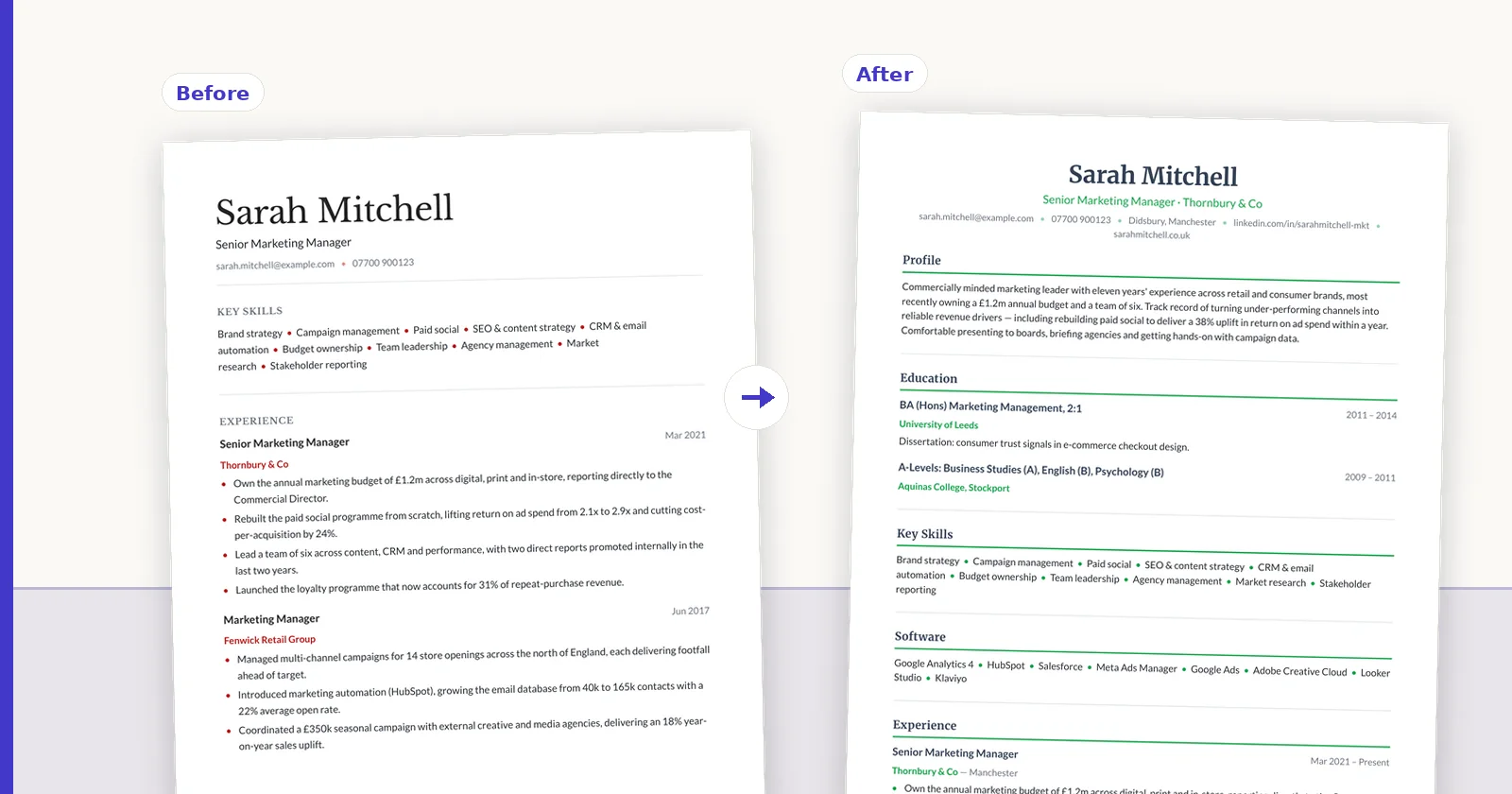
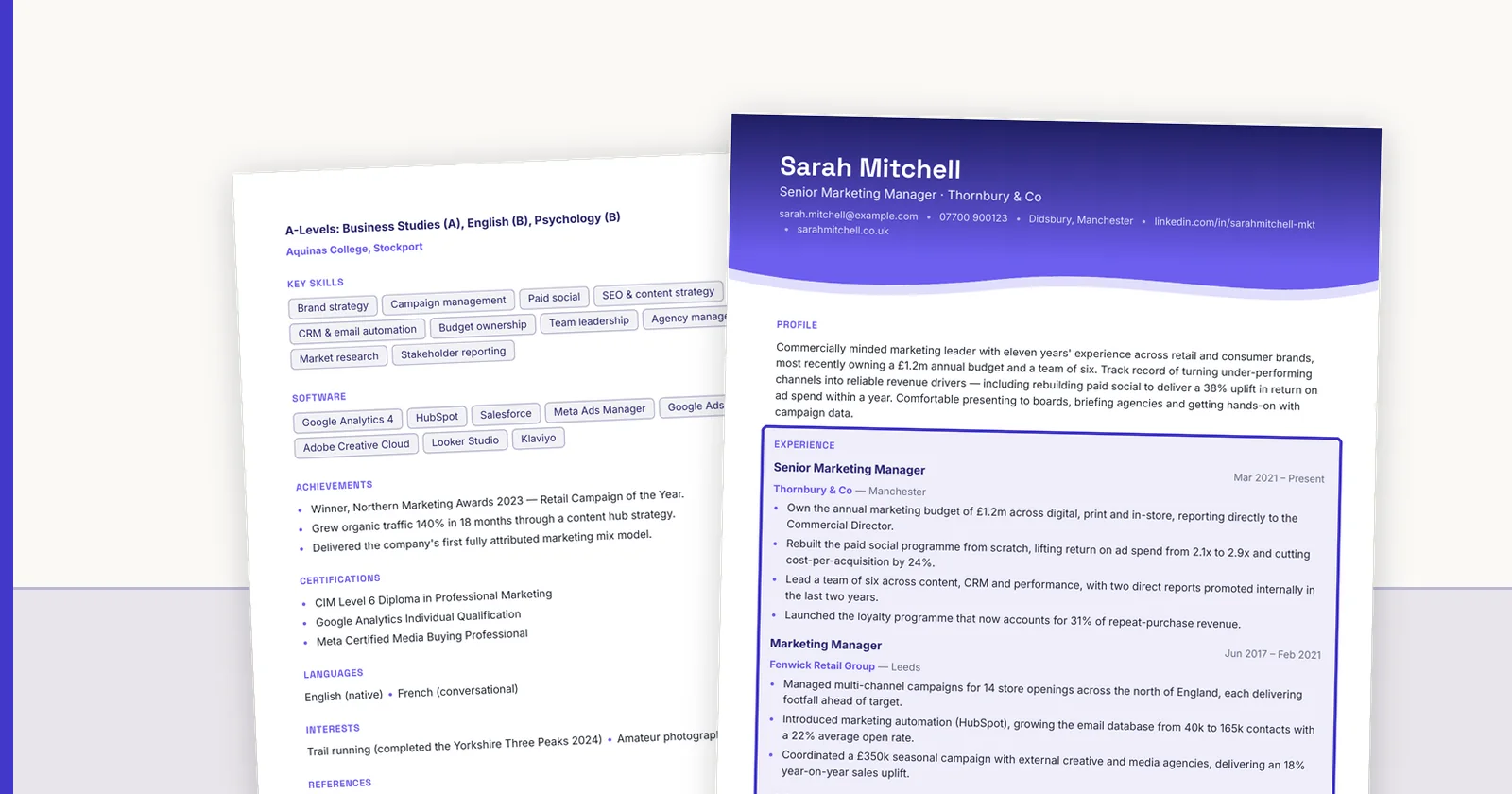
An ATS resume template, or applicant tracking system resume template, is simply one that follows the rules above. Most of our ATS-friendly resume templates are single-column families (classic, minimal, timeline, banner, compact and curved) that keep your text in reading order; the sidebar designs are better kept for resumes a person will read directly.
ConnectIQ also shows you the structured record it extracts from your resume, with each value linked to where it came from on your page. It is our parser rather than an employer's ATS, but it reads your file the same way, as text and position, so a layout problem shows up before you apply. You can then put the same content in an ATS-friendly template and export PDF and Word. Your first conversion is free with no card. For length, see how long a resume should be.
FAQ
Q01What is an ATS resume?
A resume formatted so an applicant tracking system can read it into the right fields: one main column, selectable text, standard headings, dates on each job line, and no important content in headers, footers, text boxes or graphics.
Q02What is the best ATS resume format?
A reverse-chronological resume in a single column, with Summary, Experience, Education and Skills headings, consistent dates on each job line, saved as a text-based PDF unless the employer asks for Word.
Q03Can an ATS read a PDF resume?
Yes, if the PDF contains real text. Image-only PDFs, such as scans or some design-tool exports, contain no text for the system to read. Test by trying to select a line of text in your PDF.
Q04Is there such a thing as an ATS score?
Not a standard one. Online checkers score resumes on their own criteria, usually keyword overlap with a posting, and employers do not show candidates a score. Checking that your text extracts in the right order is more useful.
Q05Do two-column resumes work with an ATS?
They carry a risk. Software that reads a page line by line across both columns can mix the sidebar into the job beside it. Use a single column for online applications and keep two-column designs for resumes handed to a person.
Q06Do I need a special ATS resume template?
No special template is required, just one that follows the format rules: single column, real text, standard headings, dates on the job line. Many free templates break these rules with tables and text boxes, so test any template before you use it.
Q07Is 80% a good ATS score?
There is no standard ATS score, so no number is good or bad in itself. Online checkers produce their own scores, usually from keyword overlap with a posting, and employers do not show candidates a score. A high checker score with a scrambled parse is worth less than a clean parse with honest keywords.
Q08Can ChatGPT make an ATS friendly resume?
It can help you reword bullets and pick out keywords from a posting, but it cannot fix layout, which is what usually breaks parsing, and it may add skills or figures you never claimed. Write or check every fact yourself, and test the final file with the copy-paste method.
Q09What fonts are ATS friendly?
Common installed fonts such as Calibri, Arial, Helvetica, Georgia, Garamond and Times New Roman, at 10 to 12 points for body text. What matters most is that the PDF contains real, selectable text; avoid decorative or icon fonts.
ConnectIQ Editorial documents practical recruitment operations and the controls implemented in the ConnectIQ product. This guide is general operational information, not legal advice.